Know what you spend on each person you look after.
Other apps can tell you what you spent on medicine. KinSpend tells you how much went on your mother's medicine, even when she lives in another house. Just send a WhatsApp message like “mom's medicine 45 from wallet”.
Why KinSpend
The question other apps can't answer
If you look after more than one household, “what did we spend on medical last month?” isn't the question. It's “how much of that was for Mom?”
A typical app
One number. Whose medicine, whose doctor, which house? You'd have to remember.
KinSpend
Every entry records who it was for and which home it belongs to, filled in from your message. So you can ask about one person, one house, or everyone, for any month.
How it works
Three steps, no forms
- 01
Type it like you'd say it
In your own words and your own language. Amount, who, what and which account, in any order. Leave out what you don't know.
- 02
Check what it understood
KinSpend replies with the entry it read. Reply YES, or correct it in plain words: "account cash", "for Sara".
- 03
See where it all went
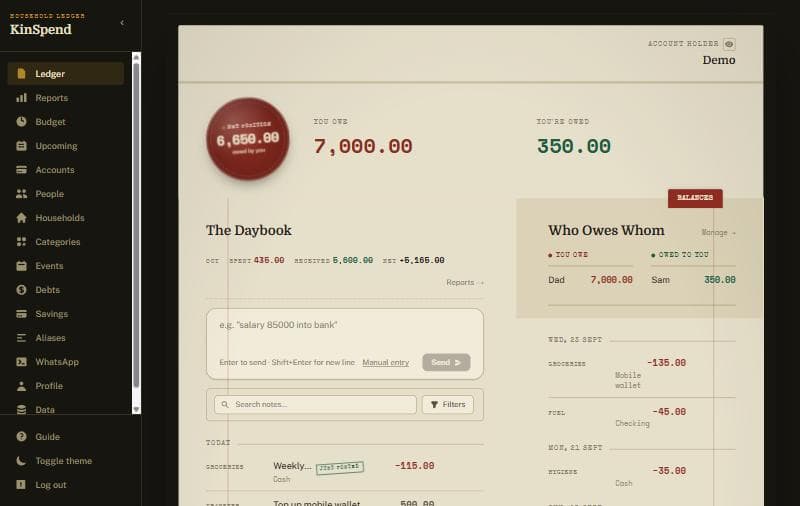
The web app shows the daybook, balances, who owes whom, budgets and monthly reports.
Everywhere you are
One set of books, on every device
Log spending in seconds from the chat you already have open. Ask /balance or /recent without opening anything else.
Your phone
The full app in your pocket: add it to your home screen from the browser, or use the Android app. It's in early testing on Google Play, so email us from the Google account you use on your phone and we'll send you an invite.
Any computer
Open the same books on a laptop for the bigger picture: reports, budgets and tidying up entries.
Everything lives in the cloud, private to your account and backed up every day. Change or lose your phone and nothing is lost: sign in anywhere and your books are there. Download a full copy whenever you like.
What you get
A ledger book that fills itself in
Ask about anyone
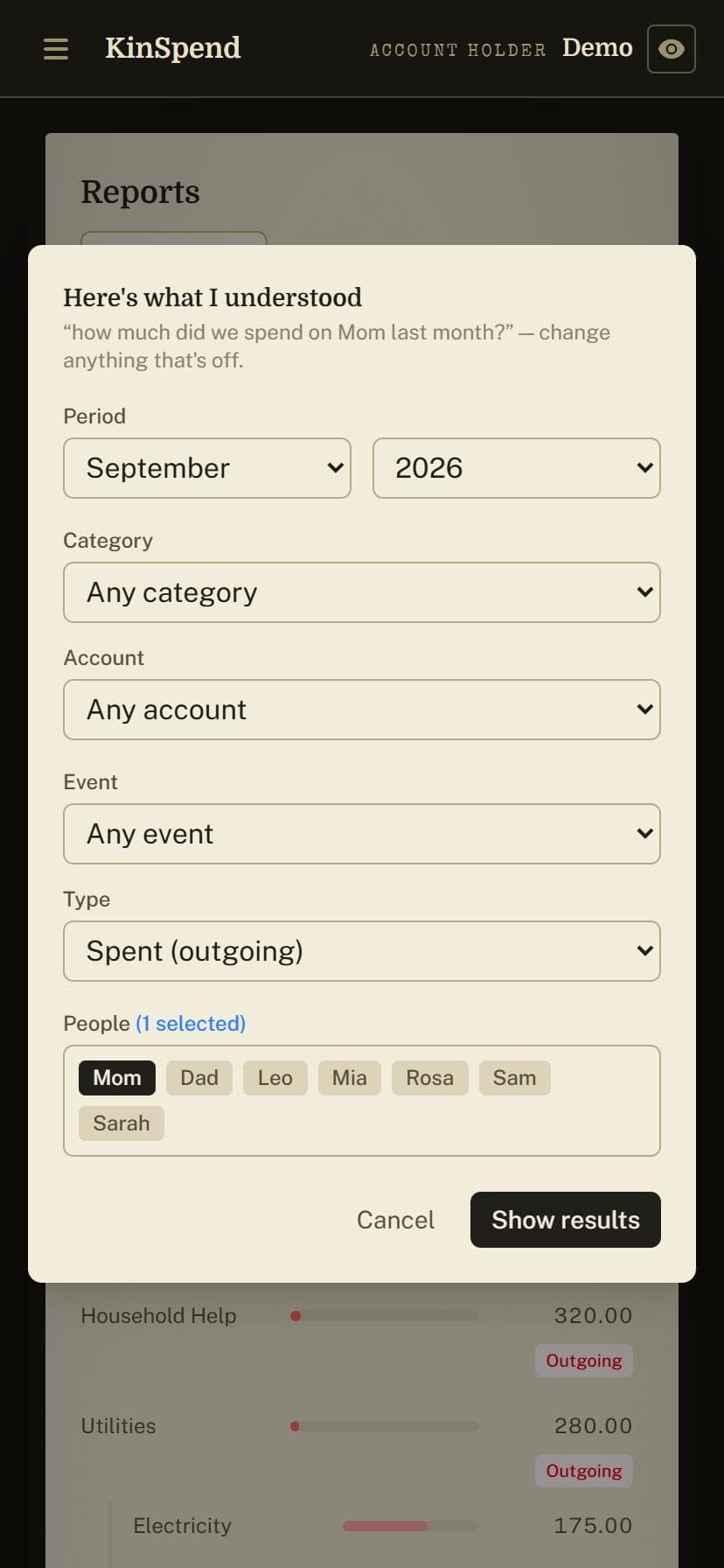
Type "how much did we spend on Mom last month?" and the report opens with those filters set: the month, the person, spending only. Change anything before you look.
Every home you pay for
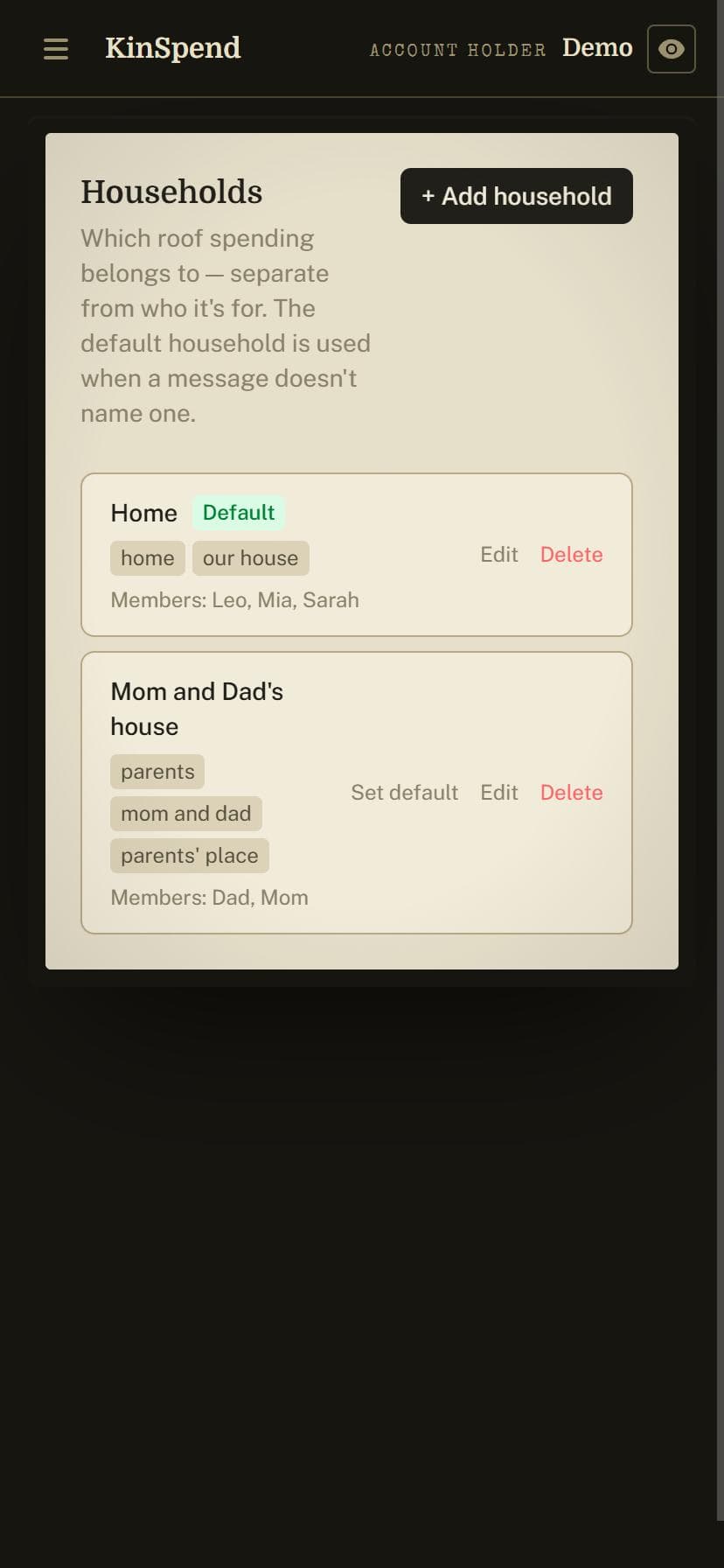
Your own home and your parents' house, kept apart in one account. Add Mom and Dad to their household once, and "mom's medicine" files itself there.
One daybook for the whole family
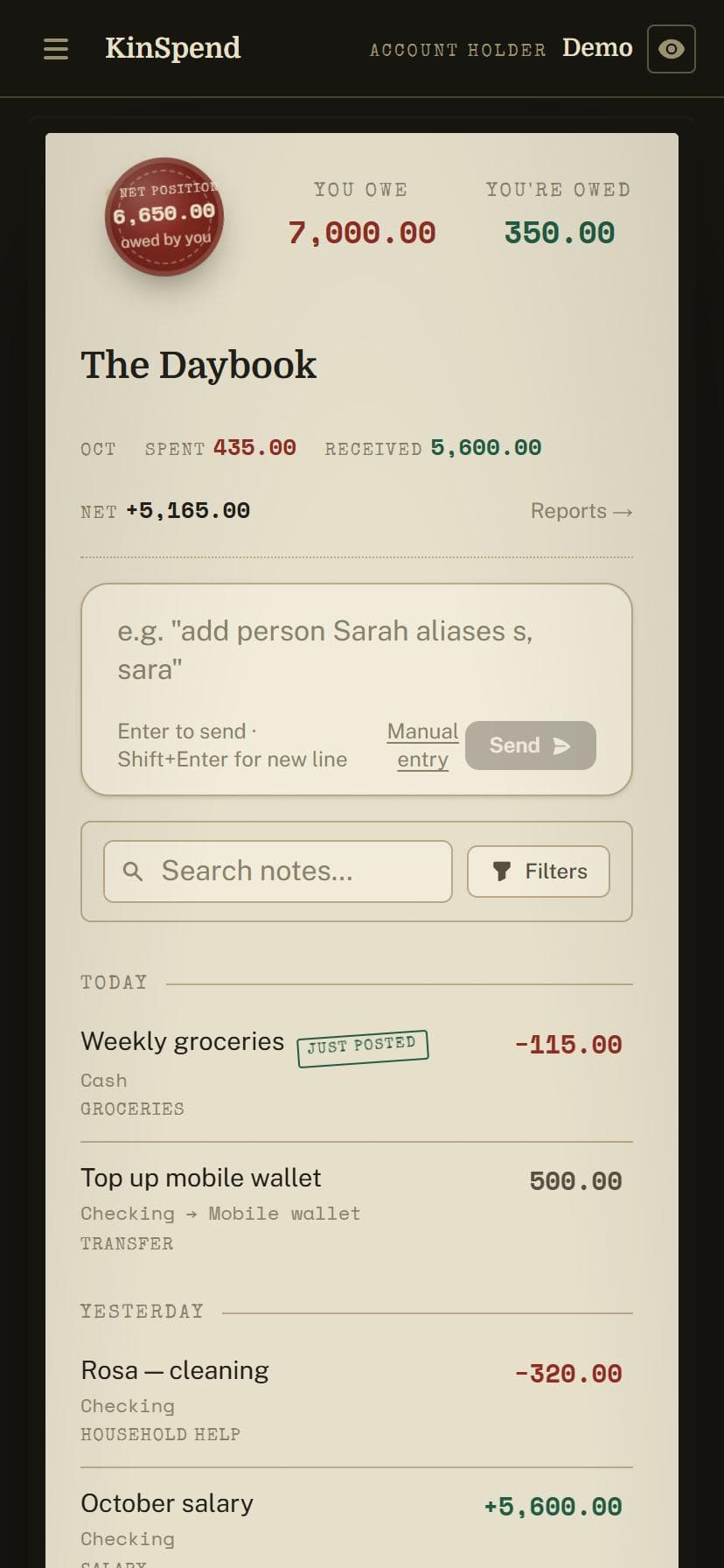
Every penny in and out, newest first, tagged with who it was for, the category and the account it came from. Account balances update by themselves.
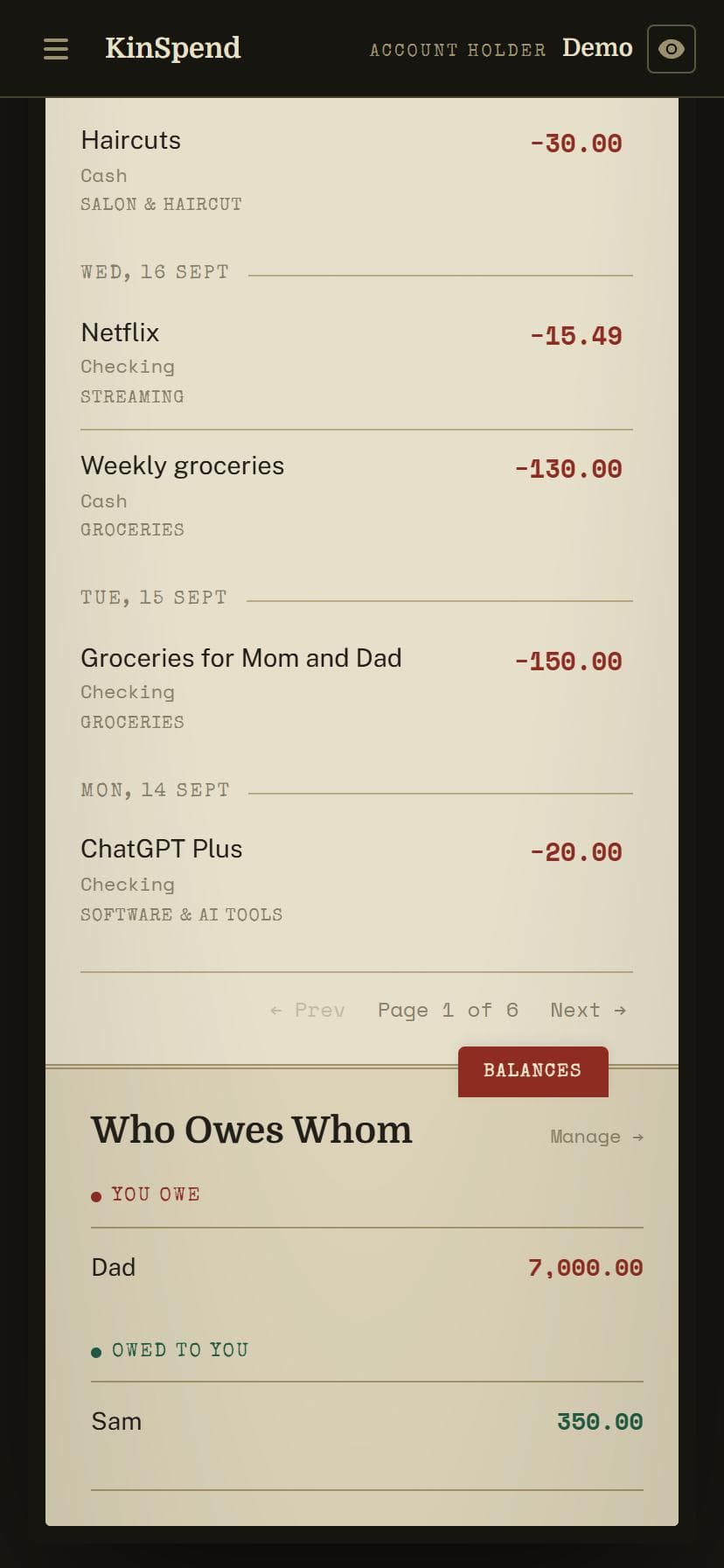
Who owes whom
Lend your cousin 50 or borrow from your father, and KinSpend keeps the running balance. Repayments come off it as they're logged.
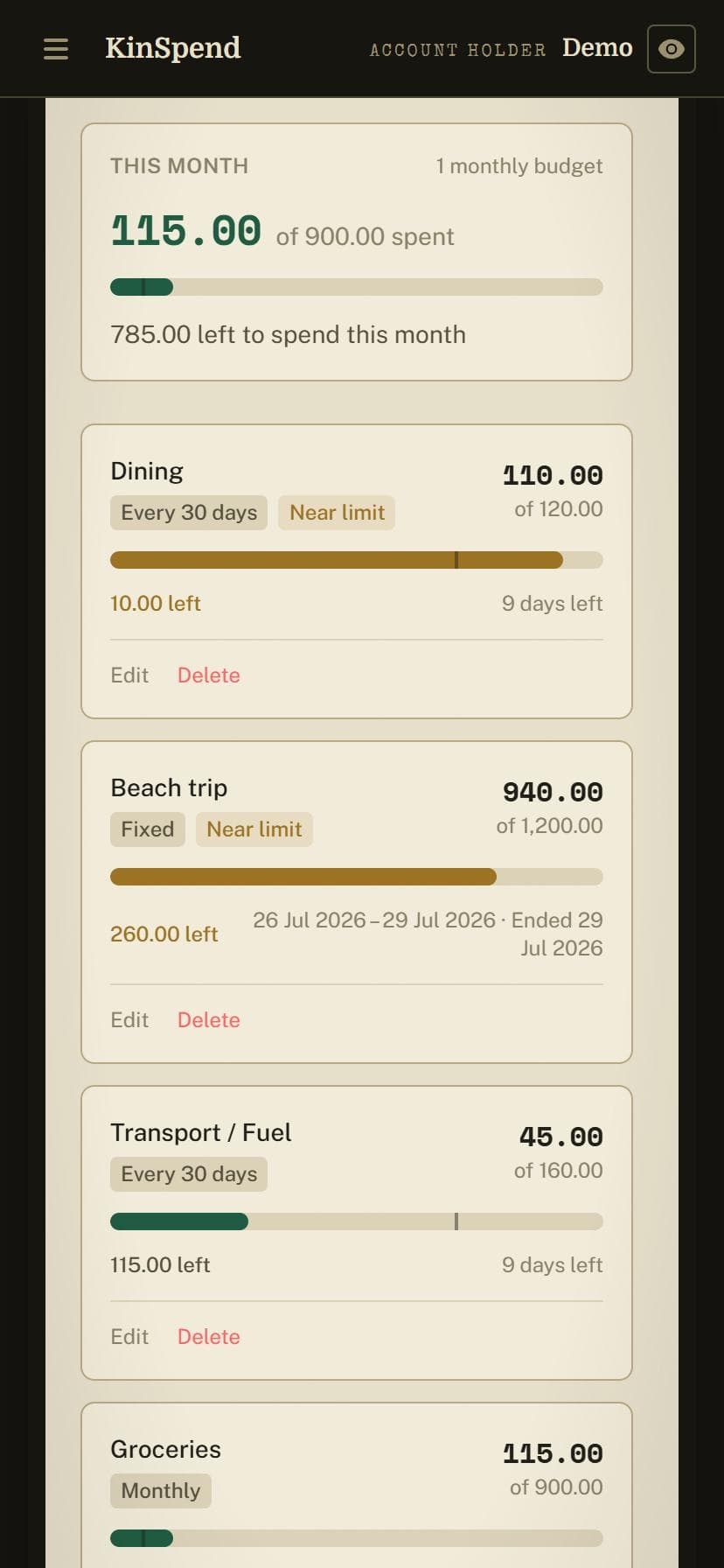
Budgets that show your pace
Set a monthly limit for groceries or a trip. The bar shows what's spent, and a tick shows where you should be by today.
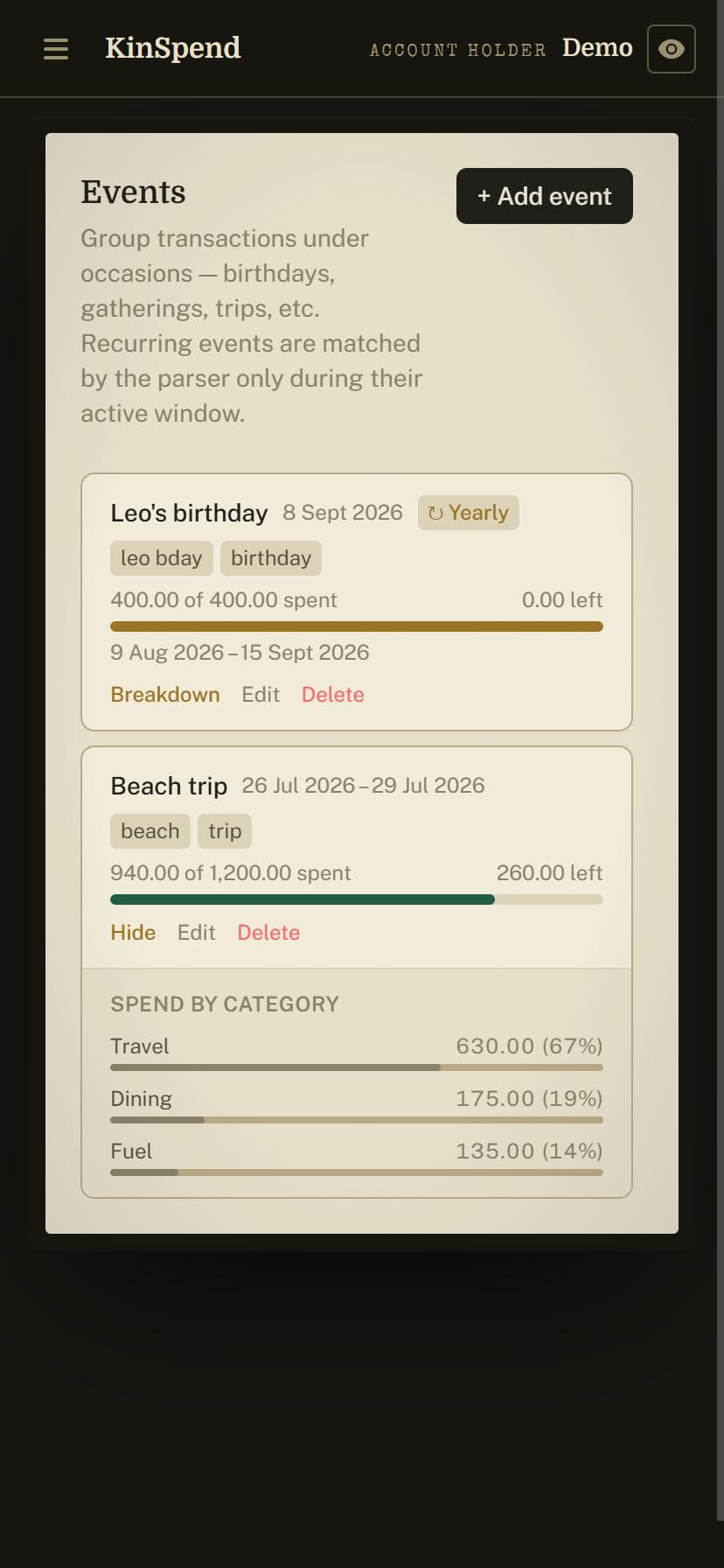
Events and trips
Group a wedding, a birthday or a family trip and see its total, even when the spending is spread across weeks and accounts.
Guide
Getting started
- 1
Create an account (or sign in with Google). A short setup asks for your accounts and their balances. A guess is fine; you can correct it later.
- 2
Add the people you spend on under Settings → People. Nicknames help: add “mom” and “mum” to your mother.
- 3
Link WhatsApp under Settings → WhatsApp. You'll get a code to confirm the number, then just message KinSpend.
- 4
Log a few days of spending. Reply YES when it reads an entry back correctly, or correct it in plain words.
- 5
Open the app to see the daybook, then try Reports and Budget once there's a week or two of entries.
Messages it understands
These work in WhatsApp and in the app's chat box. No account named? It uses your default account.
milk 4.50 cashExpense, Groceries, from Cashmom's medicine 45 from walletExpense for Mom, Medicine, from your Walletsalary 3200 into bankIncome into your Bank accountmoved 100 from bank to walletTransfer between your accountslent Hamza 50Loan: Hamza now owes you 50Hamza paid back 20Repayment: his balance drops to 30fuel for the beach trip 60 yesterdayExpense, Fuel, under the Beach trip event, dated yesterdayAli's school fee 400 from savingsExpense for Ali, Education, from your Savings accountWhatsApp commands
YES / NOSave or cancel the entry KinSpend just read backpaid in cash actuallyAny correction in plain words, before you reply YES/balanceAll account balances/balance cash 127.50Correct an account's balance to what's really there/recentYour last 5 entries (/recent 10 for more)/debtsWho owes you, and whom you owe/budgetBudgets and this month's spending/upcomingBills and payments coming up/report salary last monthA quick report, asked in plain words/exitCancel whatever is in progress/helpThe full listLending and repayments
The ideas behind it
Accounts
Cash, bank accounts, cards and mobile wallets. Add them with their current balance and KinSpend keeps them up to date. If a balance drifts, correct it with /balance or on the Accounts page.
People
Who the money was for: your parents, the kids, the nanny. Mention them by name or nickname and they're tagged. Reports can then answer "how much went on Ali this year?"
Loans
Money lent or borrowed is kept apart from spending, so lending your brother 200 doesn't look like an expense. Each person gets a running balance under Who Owes Whom.
Budgets
Monthly, weekly or one-off limits for a category or an event. On the Budget page the worst ones come first, so you see what needs attention.
Events
A wedding, a holiday, a trip. Mention the event in a message ("beach trip hotel 180") to file spending under it, and see the event's total in one place.
Households
Optional. If you pay for more than one home, add each one. People can belong to a household, so "mom's medicine" goes to your parents' house on its own.
Questions
Good to know
- Who can see my data?
- Only you. Every entry belongs to your account and nothing is shared with other users. We don't sell data or show ads.
- Does it connect to my bank?
- No. You tell KinSpend what you spent; it never logs in to a bank or wallet.
- What languages does it understand?
- Write the way you normally would. It's built on AI, so it understands most languages, and mixes of them too.
- What if it gets something wrong?
- It always reads the entry back first. Reply with a correction in plain words, or fix it later in the app.
- What if I lose my phone?
- Nothing is lost. Your books live in the cloud and are backed up every day; sign in on a new phone or any computer and they're all there.
- Is there an Android app?
- Yes, in early testing on Google Play. Email us from the Google account you use on your phone and we'll send you a link to install it. On iPhone, open the web app in Safari and add it to your home screen.
- Do I have to use WhatsApp?
- No. The web app has the same chat box, plus forms for adding entries by hand.
- Can I leave?
- Yes. Export everything from Settings → Data, and delete your account and all its data from Settings → Profile.
- What does it cost?
- It's free while in beta.